
Integrations: connect Toby to the tools you already use
Ready-made connectors take about five minutes each. Anything else can be connected through MCP, its API or a webhook. Here is exactly what works today and what is coming.
How each tool works with Toby
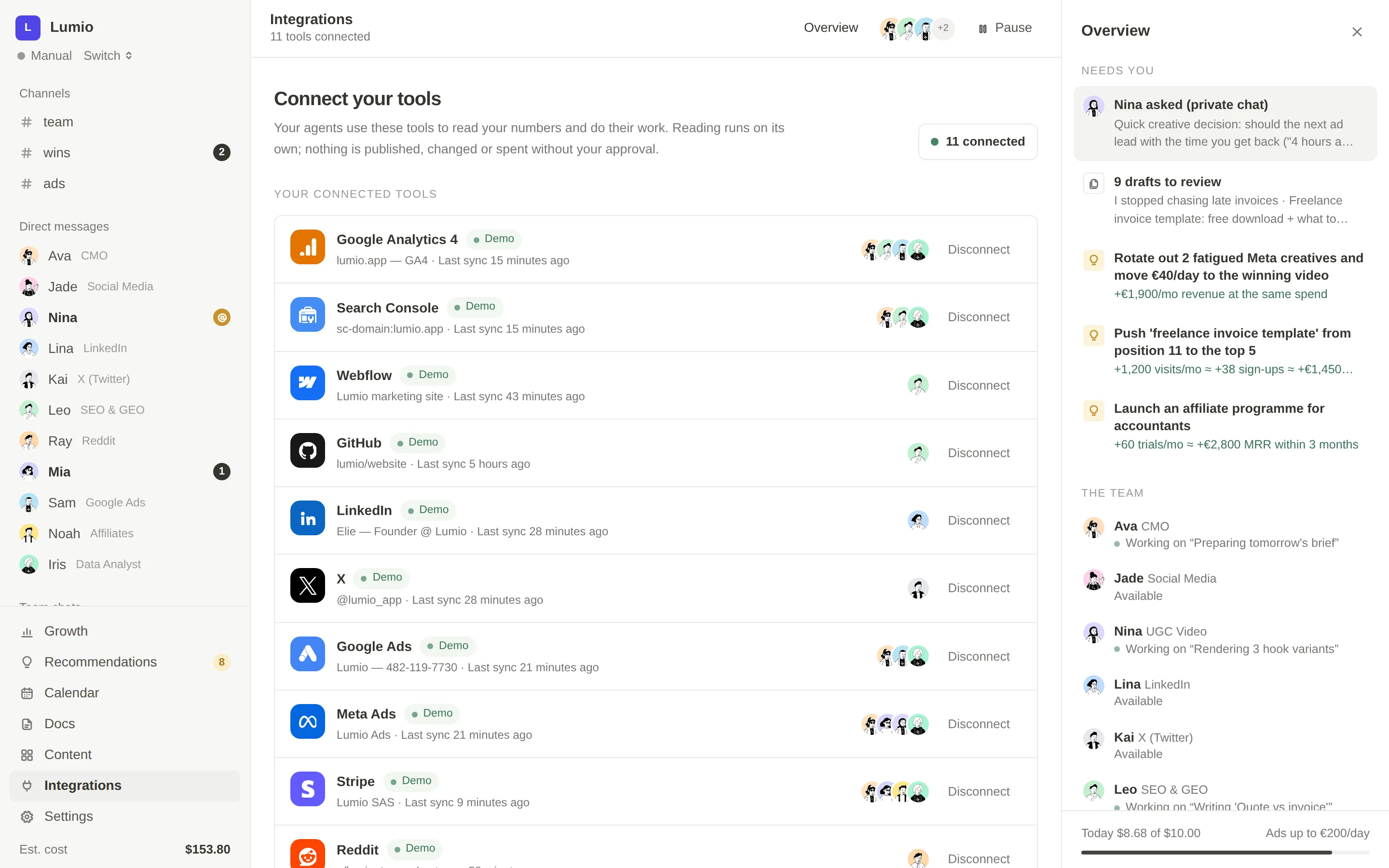
One page per tool: what the team reads, what it prepares for you, which agents use it, examples and step-by-step setup.
- ShopifyOrders, products and revenue, read-only: recommendations built from what your store actually sells.Learn more
- WordPressLeo reads your posts and pages, prepares new articles and refreshes, and publishes them once you approve.Learn more
- WebflowLeo reads your CMS collections and adds new articles as draft items, mapped to your own fields.Learn more
- Google Analytics 4Sessions, key events, revenue and channels every 6 hours: the numbers behind every recommendation.Learn more
- Google Search ConsoleClicks, impressions and positions, read-only: Leo turns pages close to the top into ready-made SEO fixes.Learn more
- StripeRevenue, subscriptions and customers with a read-only key: every recommendation tied to money.Learn more
- GmailCreator and partner outreach from your own address: replies read, drafts saved in Gmail, nothing sent without you.Learn more
- NotionReads the pages you share, files plans and reports where your team already works.Learn more
- Slack & DiscordThe whole team in your channel: daily brief, answers to @Leo or @Mia, approval requests, wins.Learn more
- X (Twitter)Posts and threads written by Kai, published on your X account once you approve them.Learn more
- Any tool (MCP, API, webhook)Your CRM, your issue tracker, your own scenarios: connected through MCP, the tool's API or a webhook.Learn more
- Meeting notetakersFireflies, tl;dv, Fathom or any notetaker: every customer call becomes quotes, objections and tasks for the team.Learn more
Ready to use
17A connector made for Toby: paste a key or a token in Integrations and the right agents start using it. Analytics and revenue data sync every 6 hours.
Google Analytics 4Analytics
Sessions, conversions and revenue by channel, synced every 6 hours.
Learn moreGoogle Search ConsoleAnalytics
Queries, pages, positions, clicks and impressions for the SEO plays.
Learn moreWordPressWebsite & CMS
Read posts and pages, create drafts and publish approved articles.
Learn moreWebflowWebsite & CMS
Read CMS collections and create items as drafts.
Learn moreStripeRevenue
Revenue, subscriptions and customers (read-only key). Also available as MCP.
Learn moreShopifyRevenue
Orders, products and revenue (read-only access).
Learn moreRewardfulAffiliates
Affiliates, referrals and commissions; invite new affiliates after approval.
X (Twitter)Social networks
Publish approved posts and threads with your own X developer keys (the X API is paid per use).
Learn moreHeyGen (AI video)AI video
Render UGC-style AI videos from Nina's scripts with your HeyGen API key, after approval.
GmailWork tools
Read replies from creators and partners, save outreach drafts in your mailbox.
Learn moreNotionWork tools
Read the pages you share with Toby and write plans and reports into them.
Learn moreSlackTeam chat
Talk to the team in your channel or by DM; #team is mirrored there.
Learn moreDiscordTeam chat
Same as Slack: the team answers in your server's channel.
Learn moreFireflies.aiMeeting notetakers
New meeting notes become a summary in #team, with actions assigned to agents.
Learn moretl;dvMeeting notetakers
Meeting insights feed Toby's memory (Business plan API key).
Learn moreFathomMeeting notetakers
Decisions, objections and customer quotes kept; transcripts are not stored.
Learn moreAny notetakerMeeting notetakers
Otter, Granola, Zoom, Google Meet… through a Zapier or Make webhook.
Learn more

Through Add any tool
8No dedicated card yet, but you can connect them today with the universal connector: through the tool's official MCP server, or by giving Toby its API documentation.
GitHubWebsite & CMS
Through GitHub's official MCP server, for technical SEO fixes.
Learn moreFramerWebsite & CMS
Through the universal API connector.
Learn moreWixWebsite & CMS
Through the universal API connector.
Learn moreSanityWebsite & CMS
Through the universal API connector.
Learn moreShopify BlogWebsite & CMS
Through the universal API connector.
Learn morePartnerStackAffiliates
Through the universal API connector.
Learn moreImpactAffiliates
Through the universal API connector.
Learn moreLinearWork tools
Through Linear's official MCP server.
Learn more
Waiting for platform approval
10These platforms require an approved app before any tool can post or manage ads on your behalf. Until then, the agents prepare ready-to-post drafts and ad plans; you publish them yourself and click Mark as published.
LinkedInSocial networks
Drafts ready to post today; direct publishing after LinkedIn approves the app.
InstagramSocial networks
Drafts ready to post today; direct publishing after Meta's app review.
FacebookSocial networks
Drafts ready to post today; direct publishing after Meta's app review.
TikTokSocial networks
Scripts and drafts today; direct publishing after TikTok's app review.
YouTubeSocial networks
Scripts and drafts today; direct connection after Google's review.
RedditCommunity
Threads found through web search and disclosed reply drafts you post yourself; API access requires Reddit's approval.
Meta AdsAdvertising
Campaign plans and ad drafts today; account connection after Meta's app review.
Google AdsAdvertising
Keywords, negatives and ad drafts today; account connection once Google grants API access.
TikTok AdsAdvertising
Drafts today; account connection after TikTok's app review.
LinkedIn AdsAdvertising
Drafts today; account connection after LinkedIn's app review.
Coming soon
2On the roadmap.
WhatsAppTeam chat
Chat with your team on WhatsApp.
TelegramTeam chat
Drafts and reports on Telegram.
Add any tool: MCP, API or webhook
Your marketing stack is yours. If a tool isn't listed, connect it anyway.
Through MCP
Pick an official remote MCP server (Stripe, Linear, GitHub) or paste the address of any remote MCP server, then its token. The agents use its tools directly.
Through its API
Give the tool's name, the link to its API documentation and your key. Toby reads the docs, proposes the useful actions and you tick the ones to keep. Calls only go to that tool's domain.
Through Zapier, Make or n8n
Paste the webhook address of an existing scenario so the team can trigger it, like any other action that needs your approval.
The rules every connection follows
- Reading is free: agents can look at connected data whenever they need it.
- Writing waits for you: publishing, creating, sending or spending becomes a To approve card.
- Keys and tokens are encrypted (AES-256-GCM) and never shown again, even to you.
- Each connection belongs to one company; data never crosses companies.
- Outgoing calls go only to public addresses on the tool's own domain.
Frequently asked questions
Can Toby connect to Meta Ads or Google Ads today?
Not directly yet. Meta and Google require an approved application before a tool can manage ad accounts. Today Mia and Sam prepare campaign structures, audiences, keywords, negatives and ad copy that you apply in Ads Manager or Google Ads yourself.
Can Toby post to LinkedIn, Instagram or TikTok?
Not directly yet, for the same reason: these platforms review apps before allowing publishing. The agents prepare ready-to-post drafts; you publish them and mark them as published so the calendar and reports stay accurate.
Where does Toby publish directly today?
Articles to WordPress, drafts to Webflow and Notion, outreach drafts to Gmail, posts and threads to X with your own developer keys, and AI videos rendered through HeyGen with your own key, always after your approval.
How do I connect Google Analytics and Search Console?
With a Google service account key: you create it once in Google Cloud, add its email as a viewer of your GA4 property and as a user of your Search Console property, then paste the key in Toby. The app walks you through it step by step.
Is the X API free?
No. The X API is paid per use by X. You connect your own developer app keys, so usage is billed to your X developer account.

Give your business a marketing team that knows what to do next
Create your account, paste your URL and get your growth audit, your Brand Brain and your first three recommendations, already prepared.
7-day free trial, then $99/month per company. Cancel anytime. Already have an account? Sign in